pdf-to-audiobook
PDF to Audiobook
A small desktop program that turns a PDF, a long report or a book chapter, into an mp3 you can listen to on a walk or a commute. You pick the files, it reads the text off every page and saves the spoken version next to the original. It needs an internet connection: the voice comes from Google's speech service, not from your own machine.
Solo work by our founder, Salman Adnan.
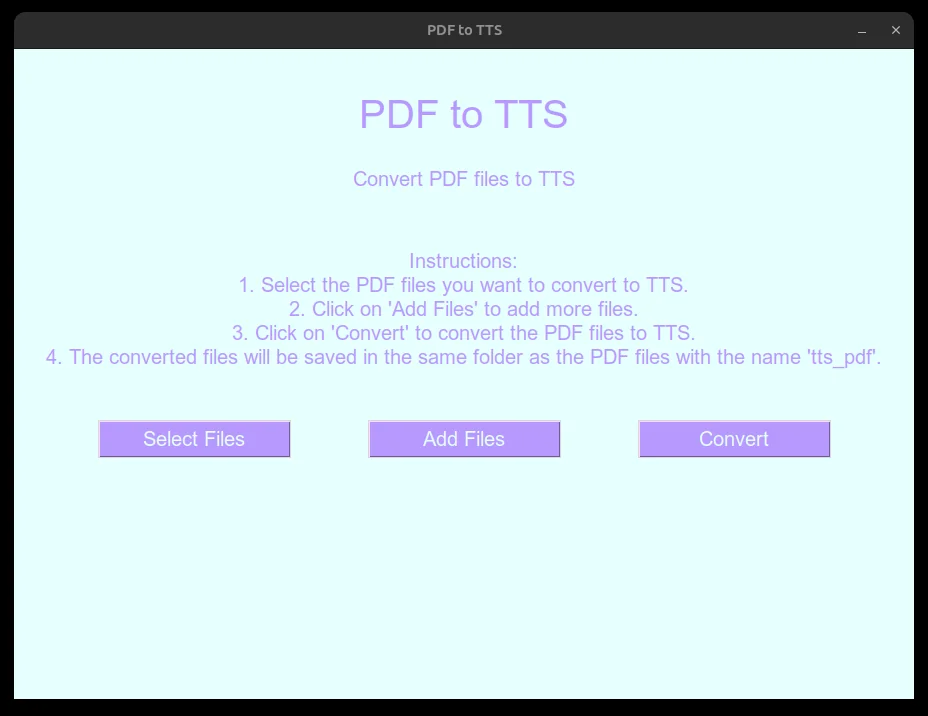
Overview
A small desktop tool that takes one or more PDFs, pulls out the text, and saves each one as an mp3 you can listen to instead of read. Text extraction runs through PyPDF2 and speech synthesis through gTTS, which calls Google Translate's public TTS endpoint over HTTPS, so it needs an internet connection and has no offline fallback.
Key features
- Native file dialog to pick one or more PDFs, with an "Add Files" option to extend an existing selection.
- Extracts text from every page of each PDF with PyPDF2 and joins it into one document.
- Converts the extracted text to speech with gTTS and saves it as an mp3 in a
tts_pdffolder next to the source file. - Also runs from the command line with no GUI, for scripting or headless testing.
- Conversion logic (
converter.py) has no GUI dependency, so it can be tested without opening a window.
Verification
No sample input shipped with the project, so the CLI path was verified end to end against a generated one-line test PDF: python3 converter.py path/to/file.pdf produced a real playable mp3, confirmed with file reporting valid MPEG audio. The GUI itself relies on the same conversion functions, which is exactly why they were split out and given their own CLI entry point in the first place.