Software Engineering

We build the software a business runs on: websites.

Websites and web apps. Software that takes over slow, repetitive work. AI tools that do a real job instead of a demo.

Digitalise Agency
38 projects shipped, 703 automated tests across 14 systems
2 production systems serving live clients today
2systems in production, serving clients
6core systems built solo from the ground up
38projects shipped, documented, and honestly scoped

Is this you?

If any of these sound familiar, it's costing you.

Every system on this page exists because a real version of one of these problems showed up first.

Manual work eating your week

Someone still copies data by hand, work a script could do unattended.

Slow, clunky software

Fine with one user, buckles the moment real traffic arrives.

No tests, no confidence

Every release is a gamble, because nothing checks it first.

Data you can't trust

A crash or a power blip can quietly corrupt the data you run on.

A fragile MVP you outgrew

It shipped fast to prove the idea. Now every new feature breaks an old one.

AI features you can't audit

Your AI does something and nobody can explain why.

Our Approach

How we work.

The same four steps on every job, from the first call to launch, so you always know what is being built and what state it is in.

01

Understand the Problem

We start with what you actually need, what you cannot change, and what success would look like. Not every project is solved the same way, and assumptions are the enemy of good software.

02

Plan & Design

Design first. We map out how the pieces fit, how the data is stored, and how the pieces talk to each other, before writing the real code. A problem caught on paper is cheap. The same problem caught after launch is not.

03

Implement with Tests

We write the checks before the code. Every feature gets automatic tests: on each small piece, on the pieces working together, and on the whole thing as a person would actually use it. Tests are documentation that never lies.

04

Verify & Deploy

Before it goes live we push it under heavy traffic, review it for security holes, and run it on a copy of the real setup. Going live is one command, and so is undoing it. No surprises on launch day.

Start with three

Three projects worth your time.
If you read three things here, read these. Two production systems, seven core systems, four full applications, and twenty-five more.

Core systems

The hard parts, built from scratch.

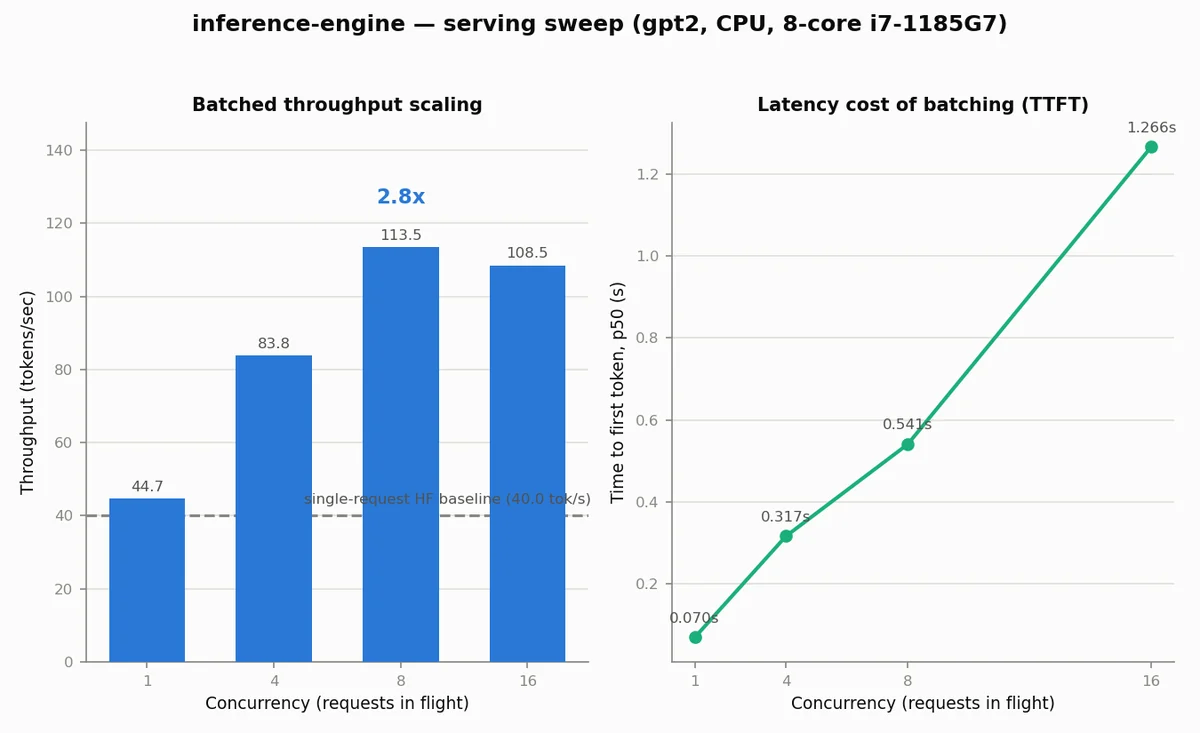
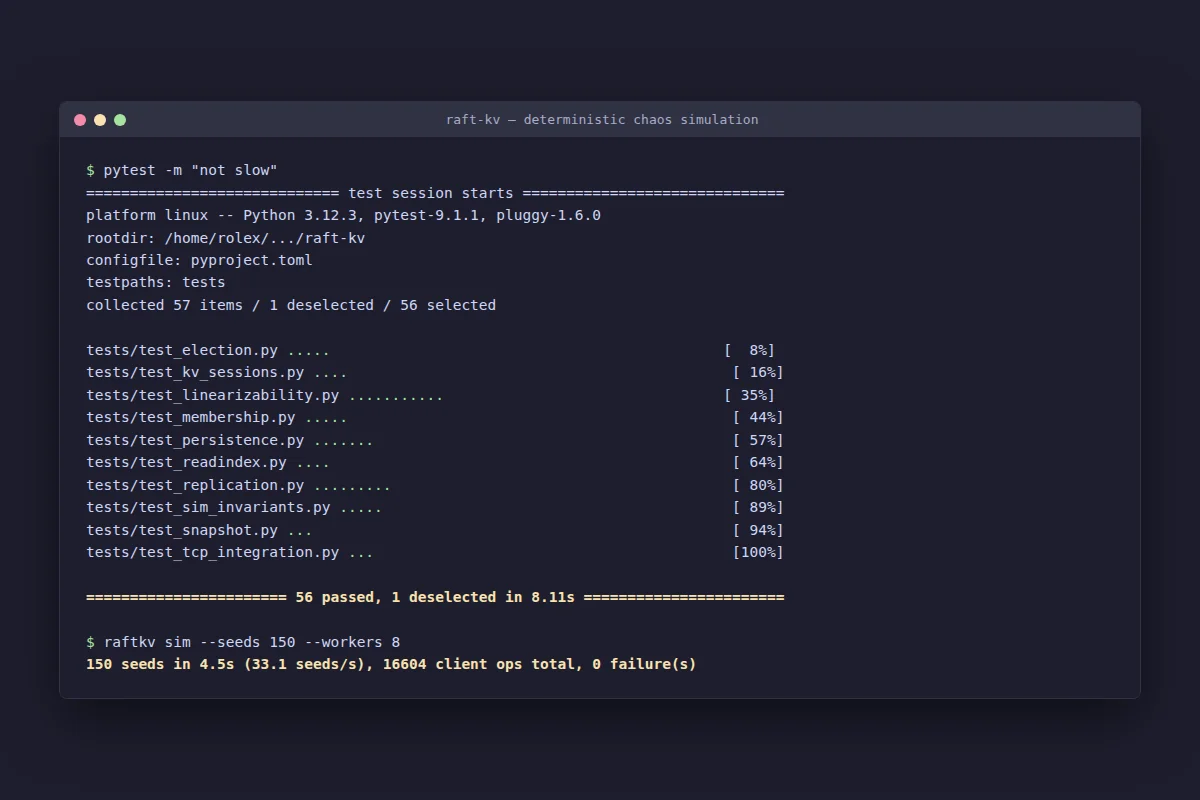
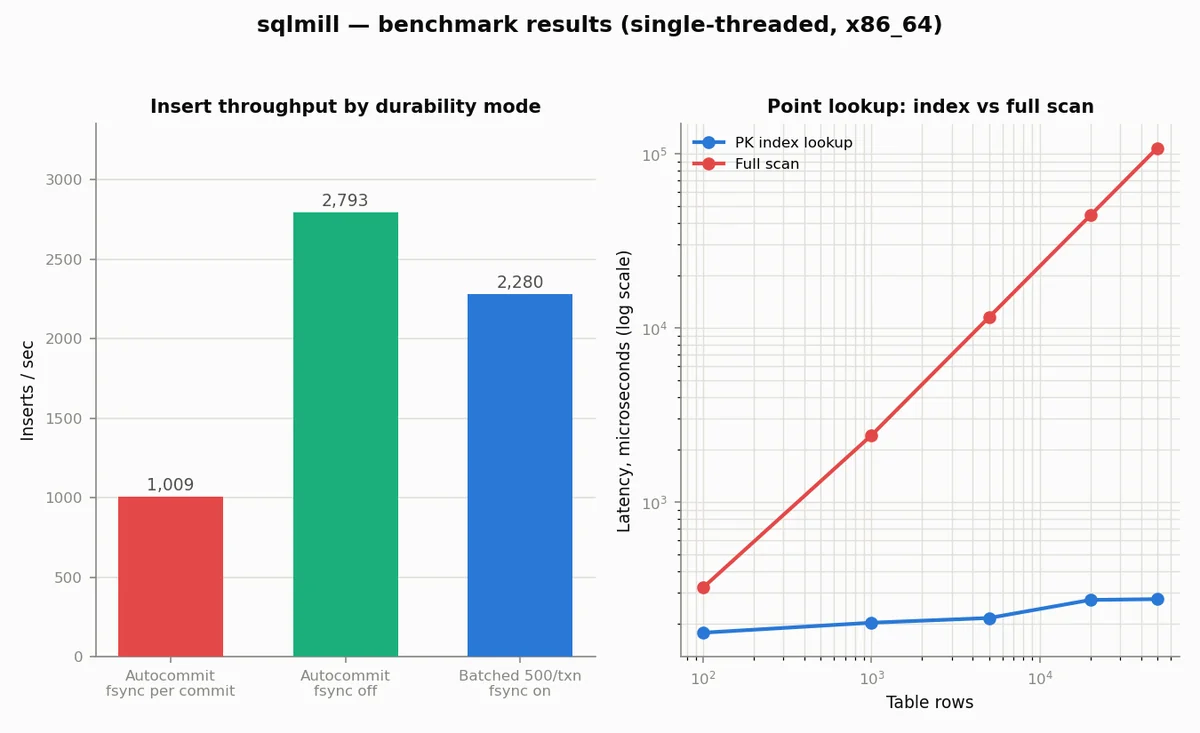
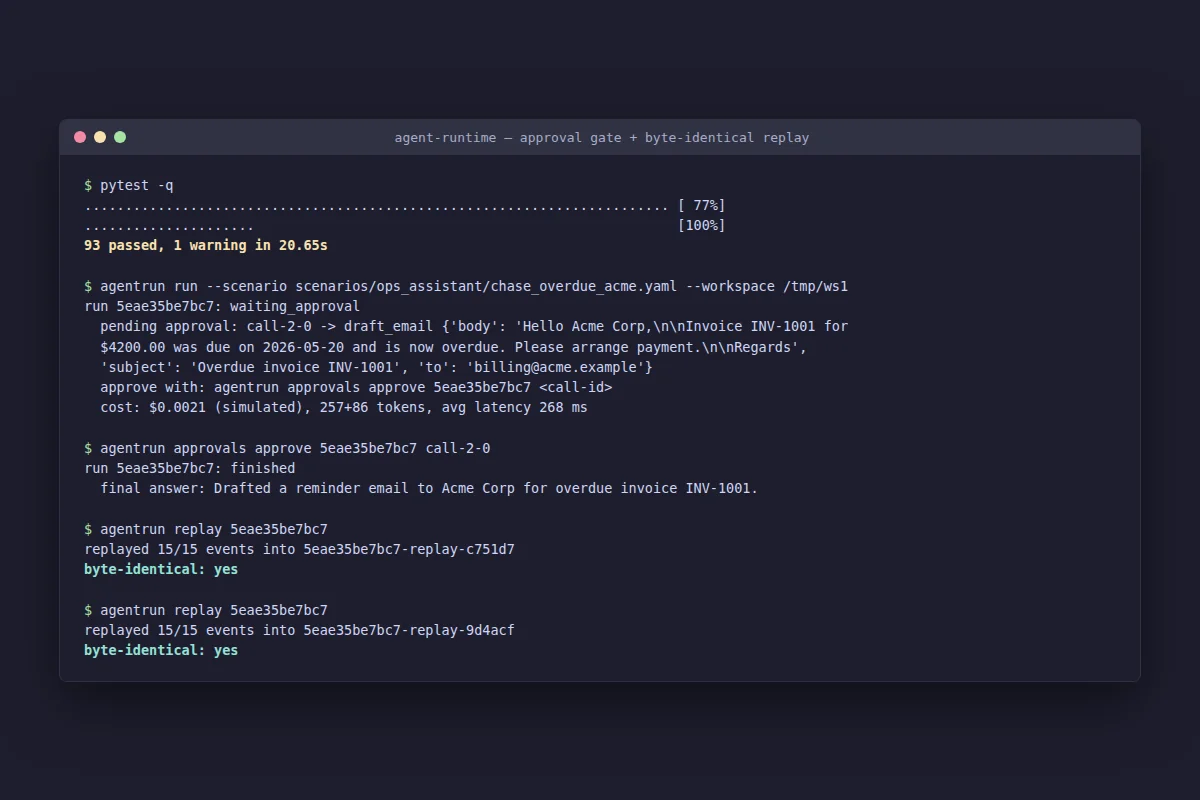
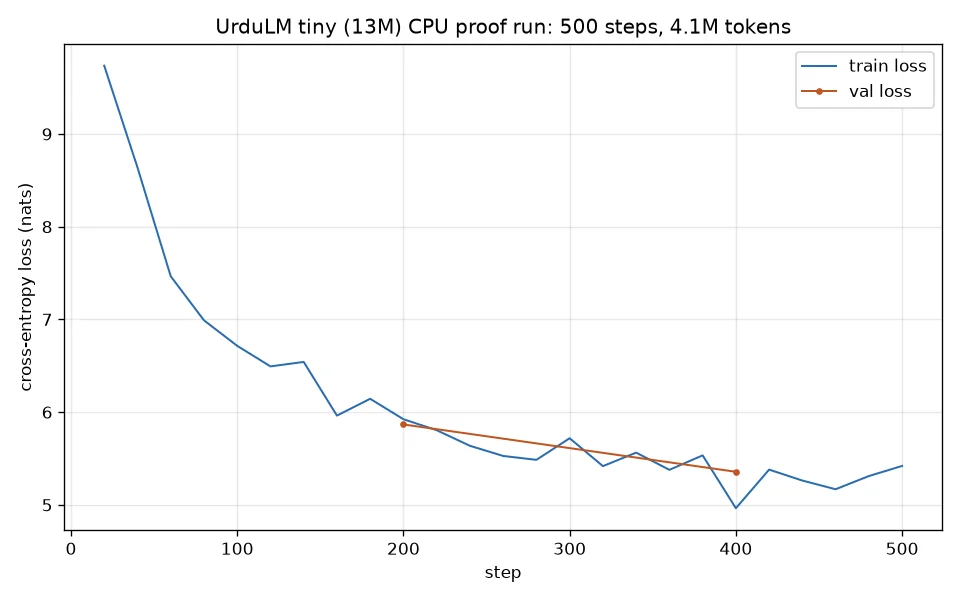
Each system solves a real constraint: responding to AI requests faster, keeping data safe through crashes, coordinating between computers, finding information instantly, running AI agents you can trust, and training language models from scratch. Six systems, each built solo from scratch and measured by tests and benchmarks you can re-run yourself. The seventh card, the C++ ray tracer, is team coursework and is badged as such.
Real-world problems solved

Complete applications, front to back.

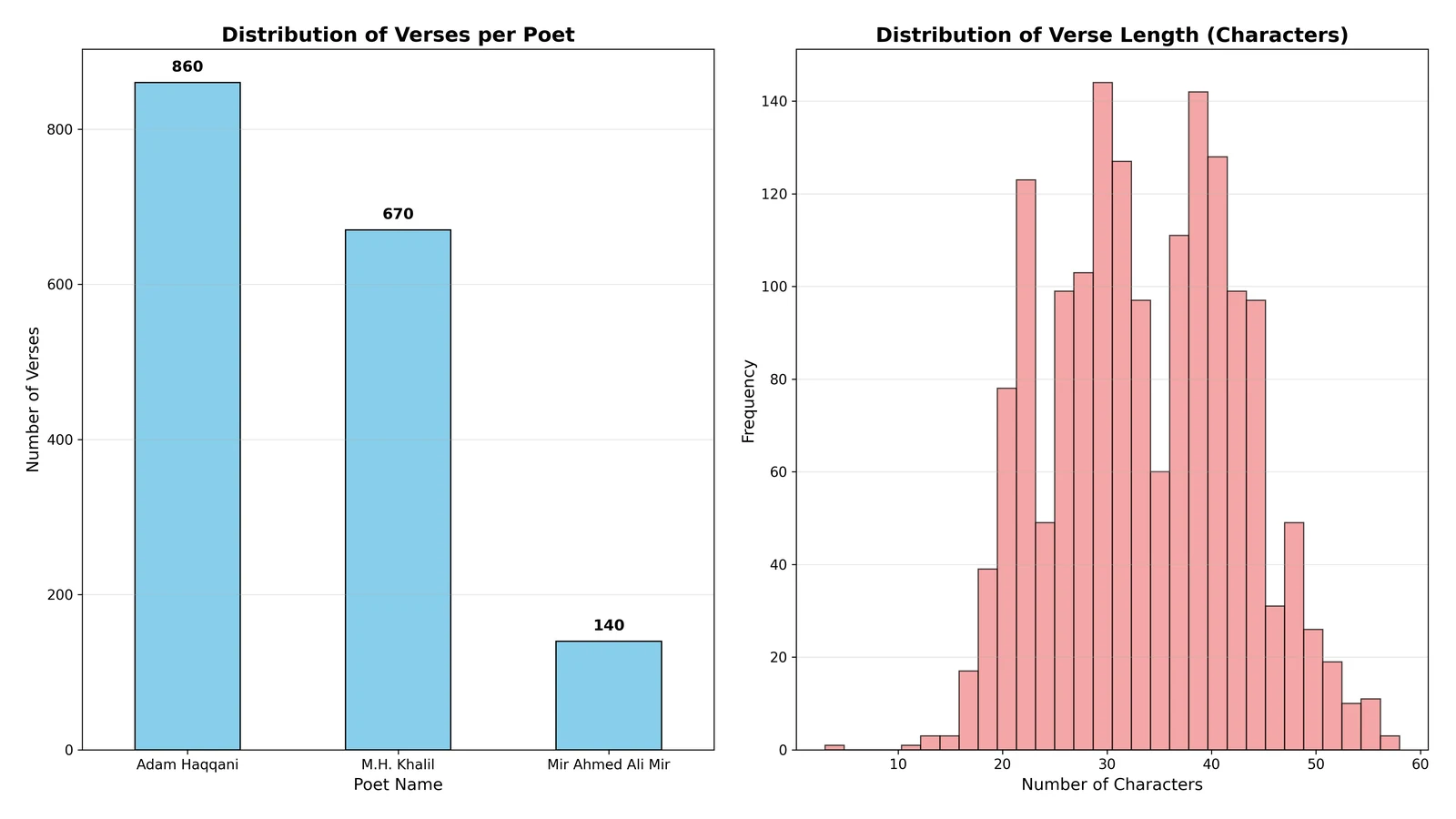
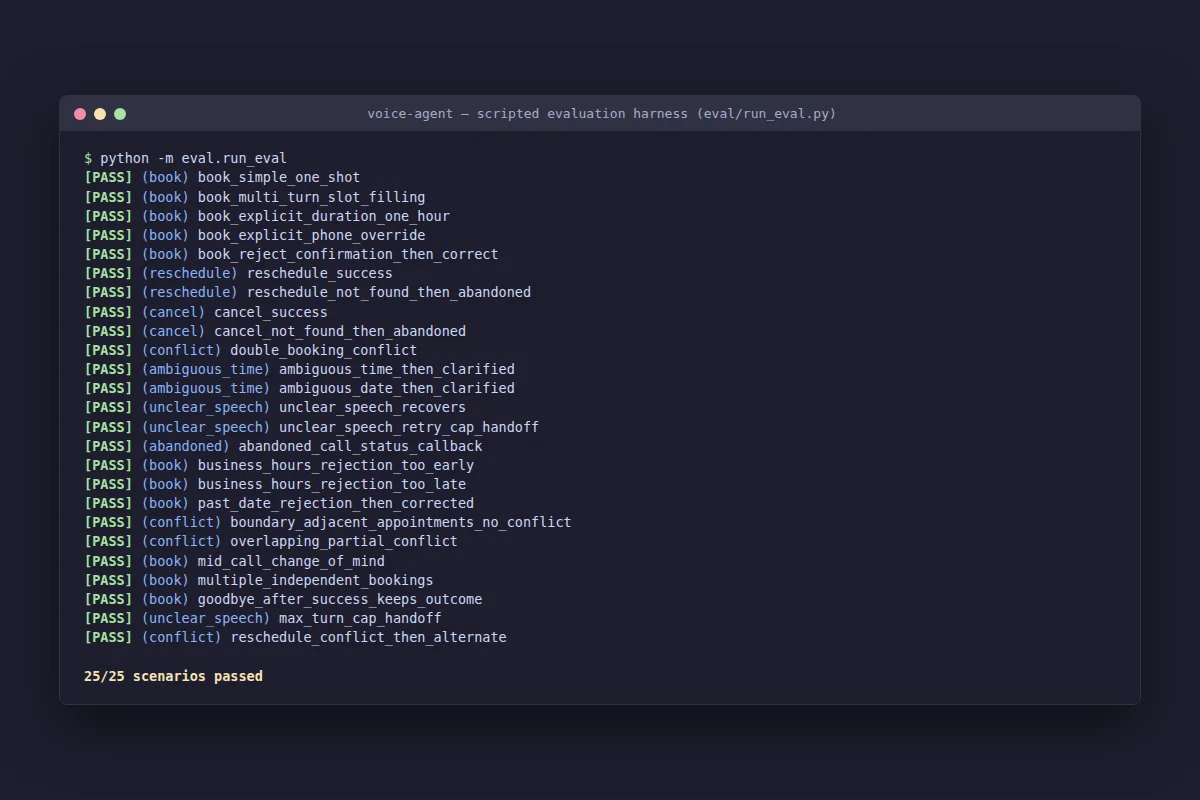
Real problems from real people. Traders needing regulations fast. Farmers and buyers finding each other. A poetry corpus nobody had digitized. Appointments booked over a real phone line. Each page says plainly what runs live and what is still ahead.
Also built

Twenty-five more, same standards.
All repositories
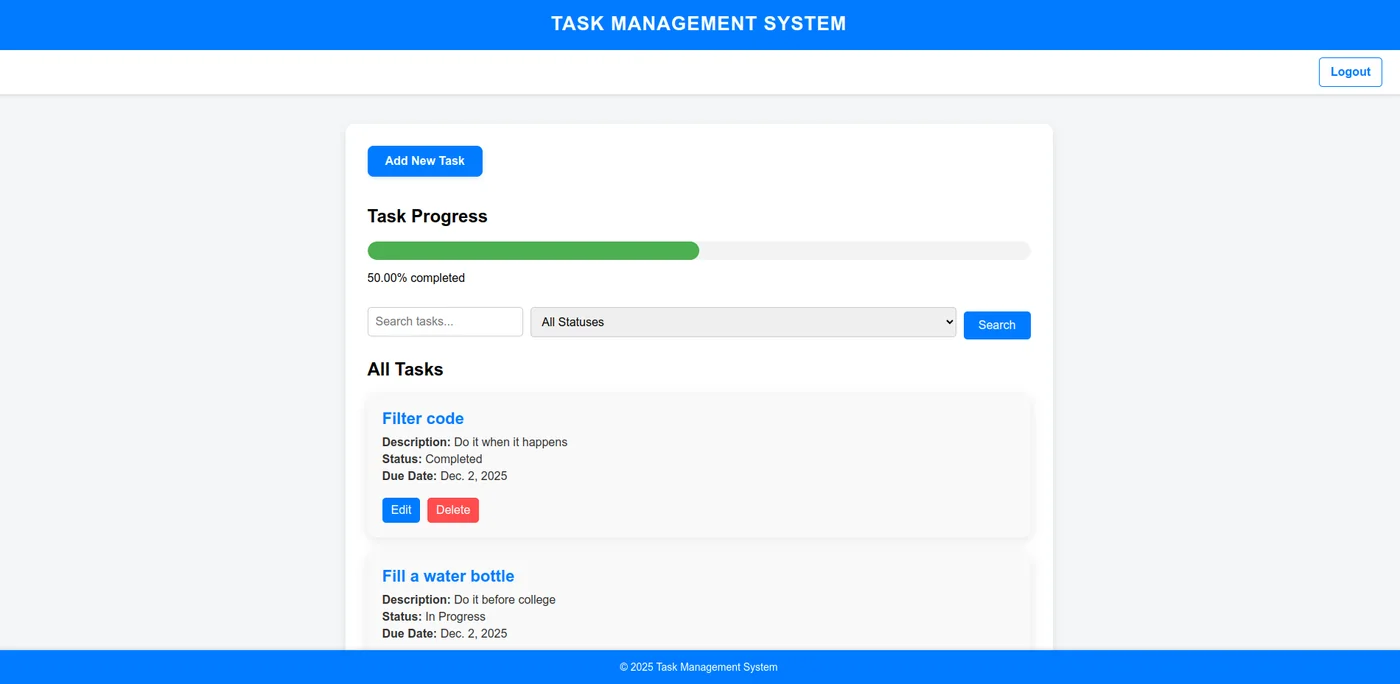
Screenshot of the Task Manager homepage
22 tests task-manager-django

Task Manager

A shared to-do list in the browser: hand a task to a colleague and they see it appear instantly, with no page refresh. Built during an internship.

The sharing bug
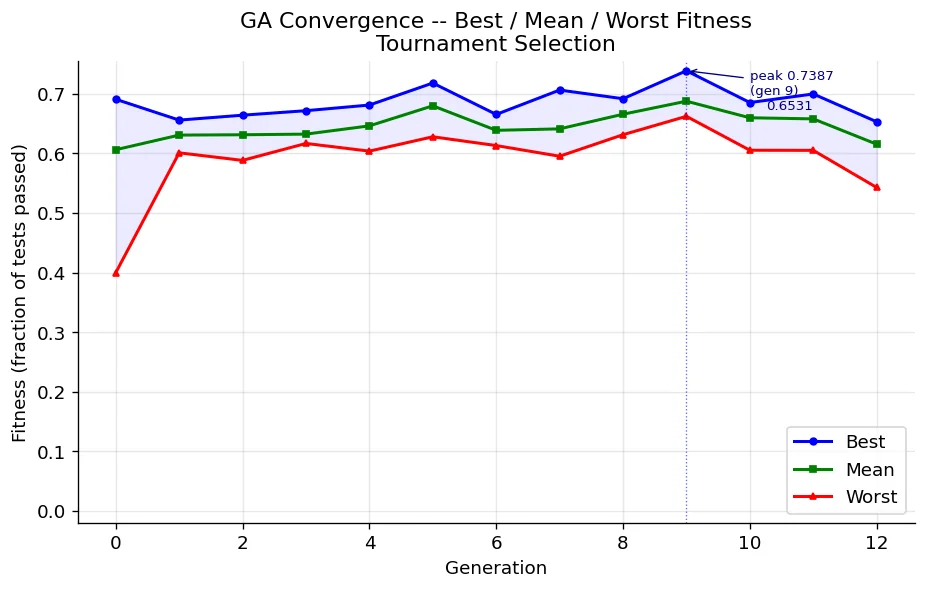
GA convergence chart for Prompt Evolution GA
200 unseen problems prompt-evolution-ga

Prompt Evolution GA

Breeds better wording for AI coding instructions across generations, scored not by opinion but by actually running the code each one writes. A course project.

Hand-written still won
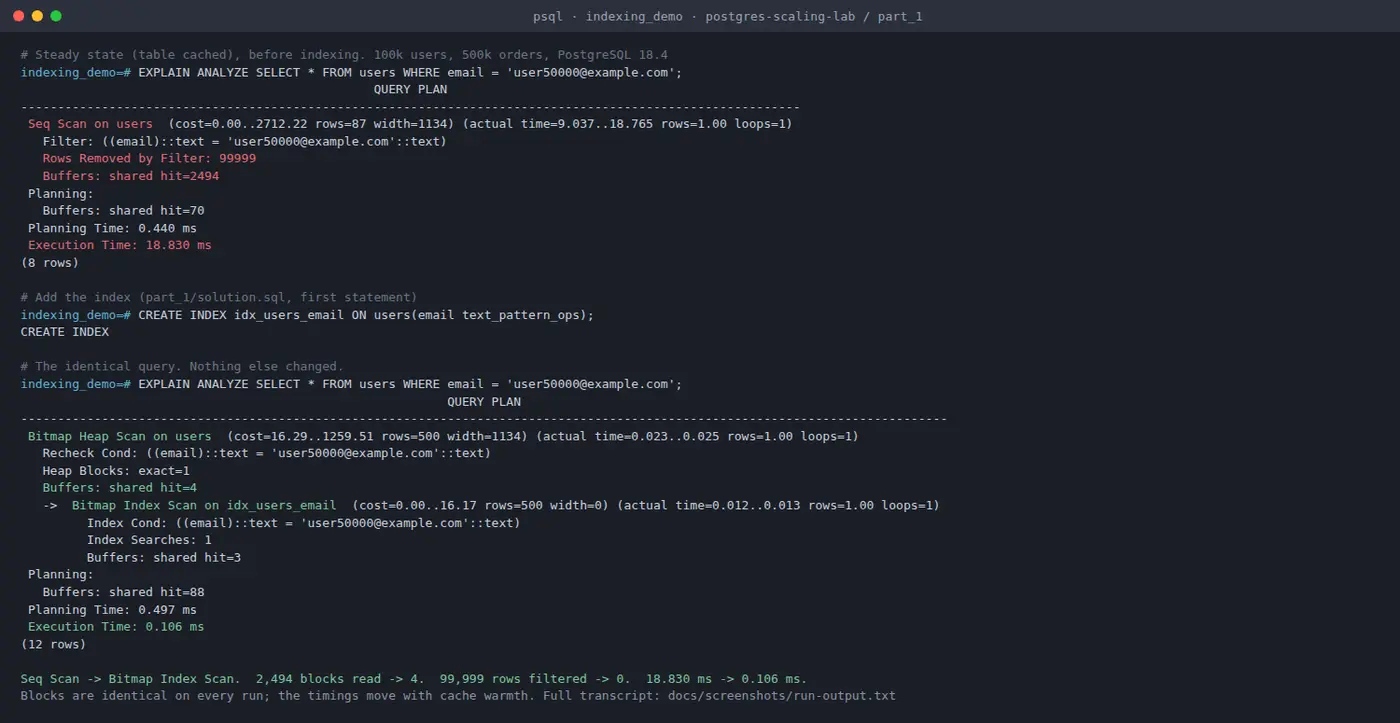
Terminal output of a real EXPLAIN ANALYZE indexing demo
Read 2,494 pages, then 4 postgres-scaling-lab

Postgres Scaling Lab

How far an ordinary database goes before you replace it: add an index, split a table by date, copy it to a second machine. Course work; the numbers come from the original course runs.

70% slower
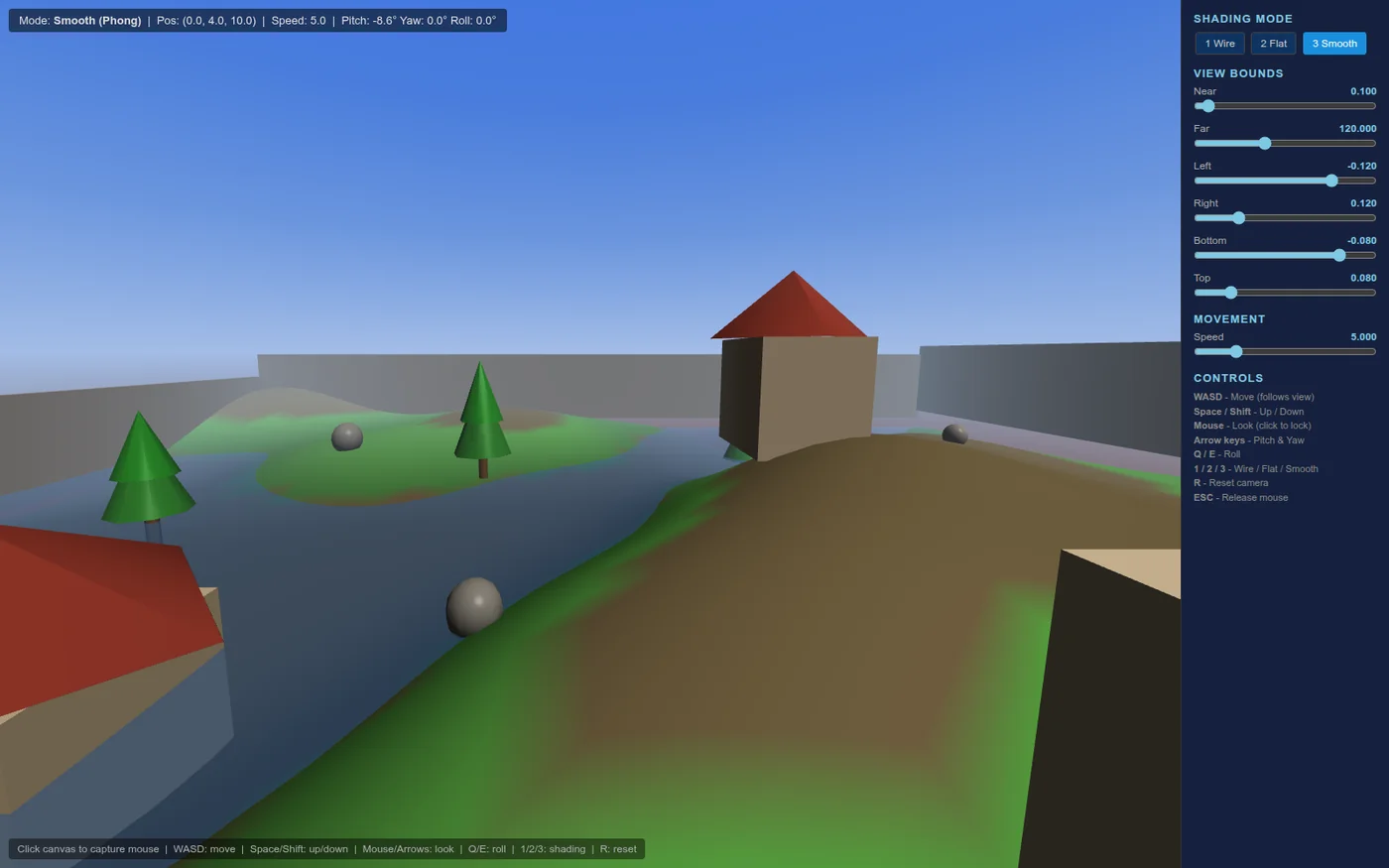
Screenshot of the WebGL Terrain Explorer
0 outside libraries webgl-terrain-explorer

WebGL Terrain Explorer

Fly over a 3D landscape in the browser. Nothing is a downloaded model: the hills, the sky, and the rippling water are worked out by the code. A university graphics course project, deliberately with no ready-made 3D toolkit.

No libraries
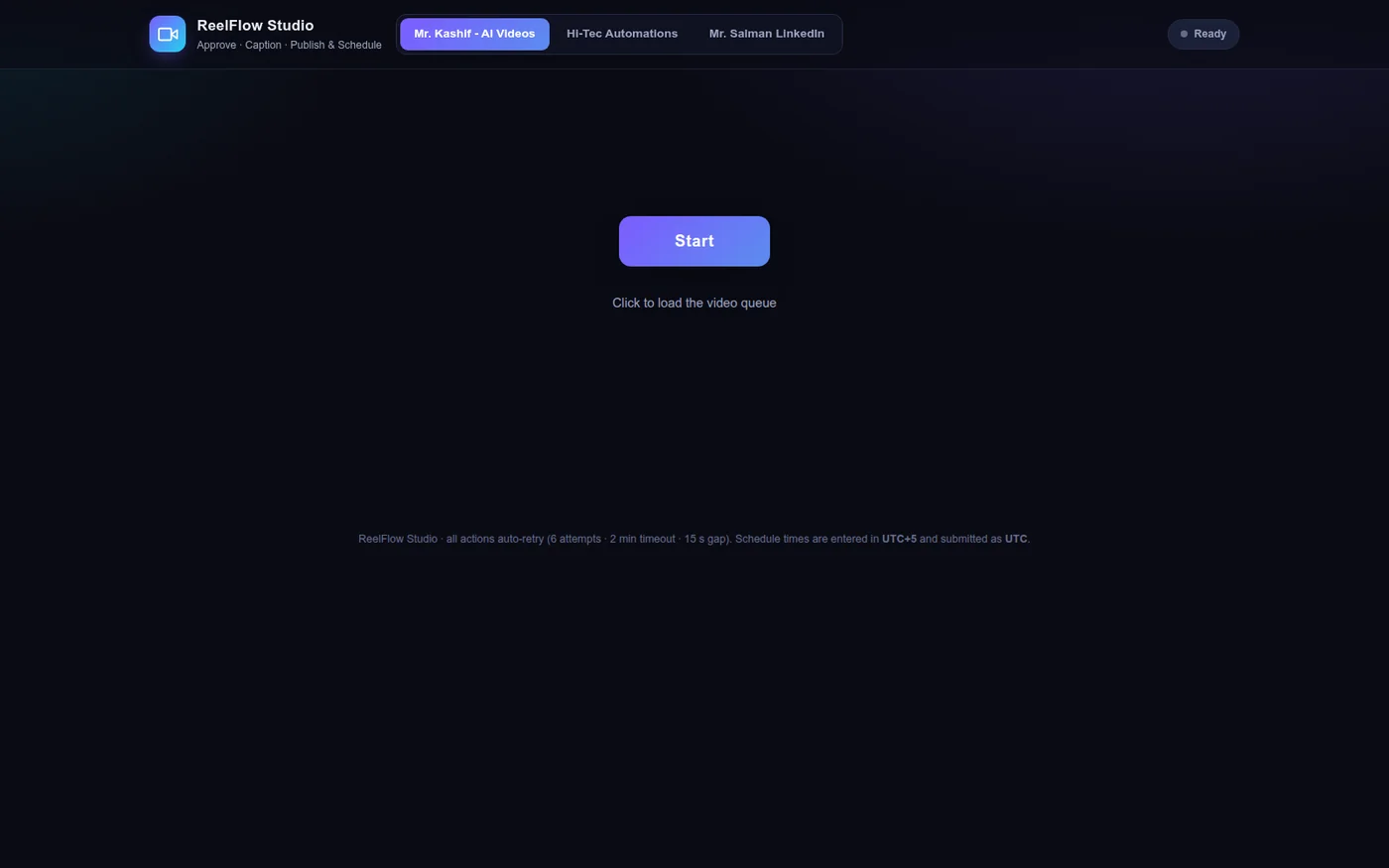
Screenshot of the ReelFlow Studio UI
33 automation hooks reelflow-studio

ReelFlow Studio

A client's video publishing was fully automated with no screen a person could use. This is that screen: one button per decision, approve, caption, publish. The demo runs on a made-up queue, not the client's live system.

Handling failures
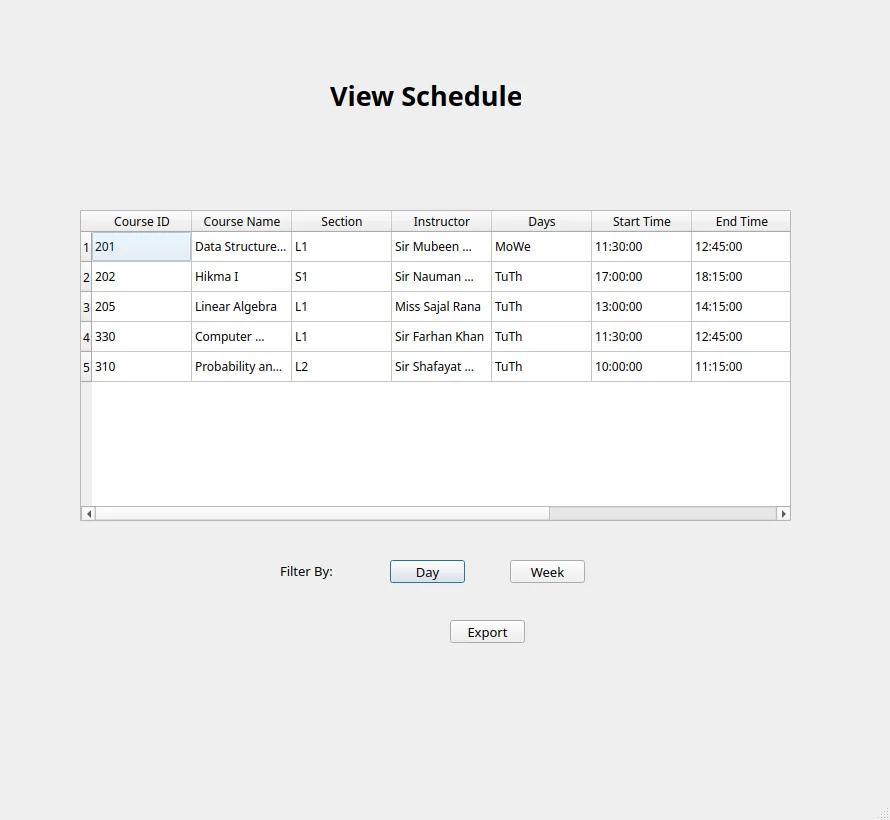
Screenshot of the University Enrollment System schedule view
6-digit emailed login code university-enrollment-system

University Enrollment System Team

The app a student uses to add, drop, and swap courses, with clashes and full sections blocked and the timetable exported to Excel. Coursework: the accounts are invented and passwords sit in the database as plain readable text.

Clashes get blocked
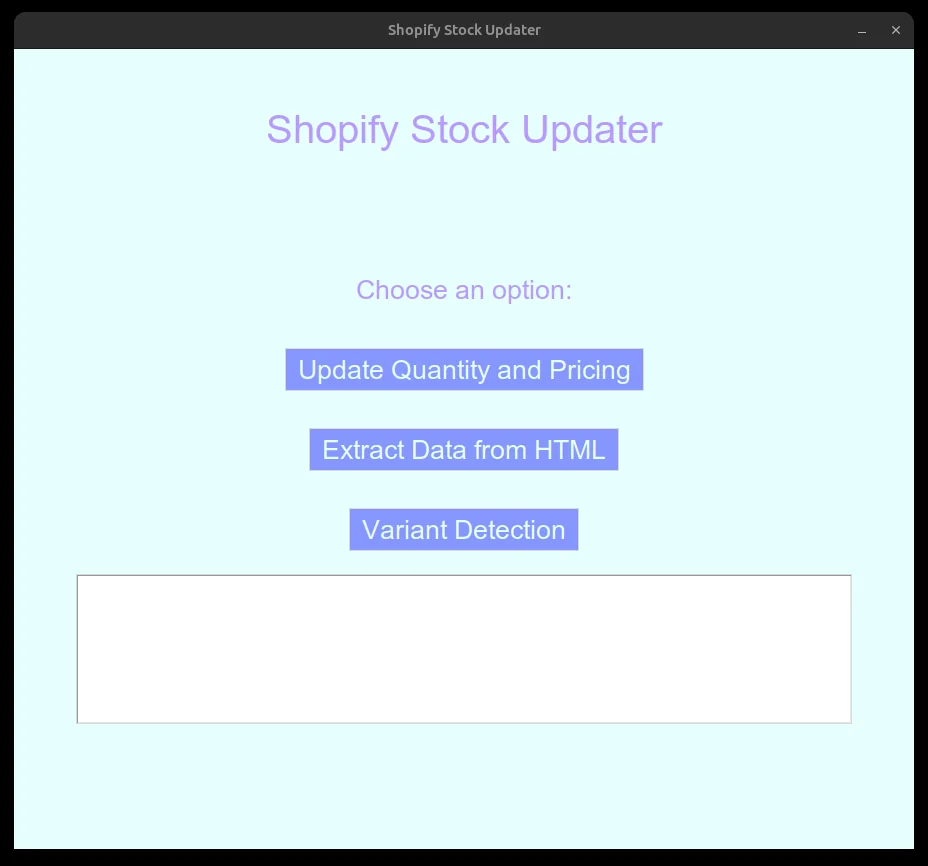
Screenshot of the Hi-Tec Shopify Automation GUI
11,000-line Shopify export hitec-shopify-automation

Hi-Tec Shopify Automation

A client's stock counts and costs lived in one spreadsheet and its shop's product list in another, so matching them took hours. Three tools do it instead. A person reviews the result; the tools never touch the live store.

Matching two spreadsheets
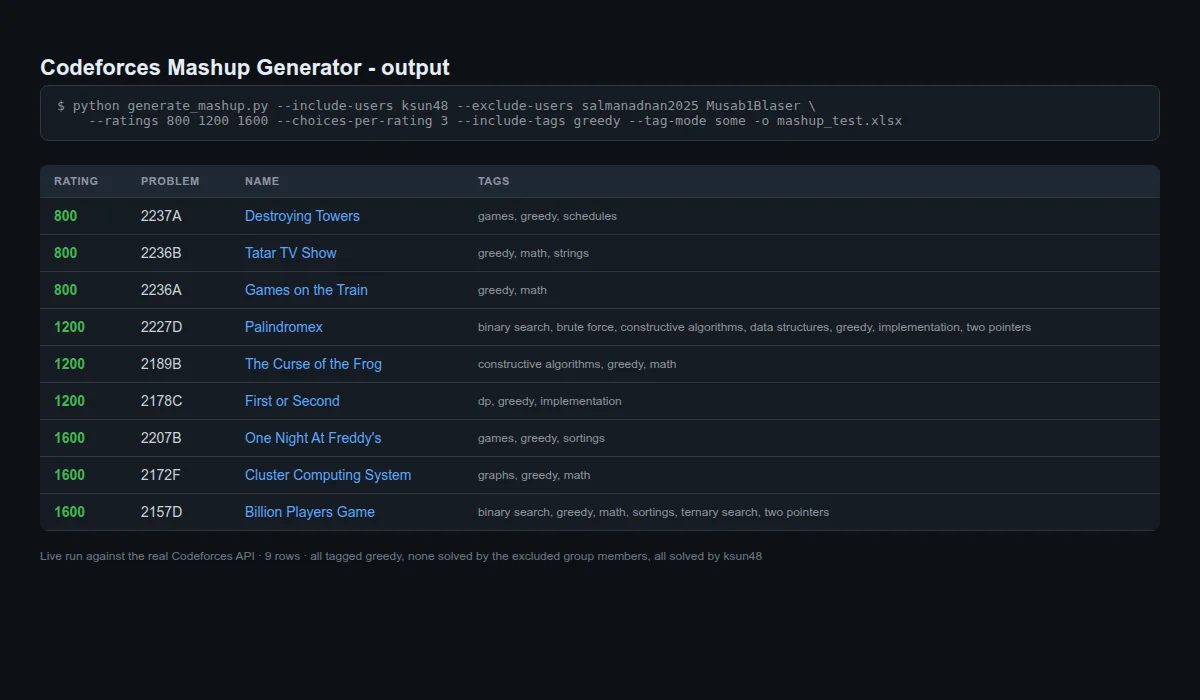
Real output table from the Codeforces Mashup Generator
14 s verified live run codeforces-mashup-generator

Codeforces Mashup Generator

Builds a practice contest from a programming-puzzle site, keeping only puzzles that nobody in the study group has already solved, so nothing is spoiled.

Only unsolved problems
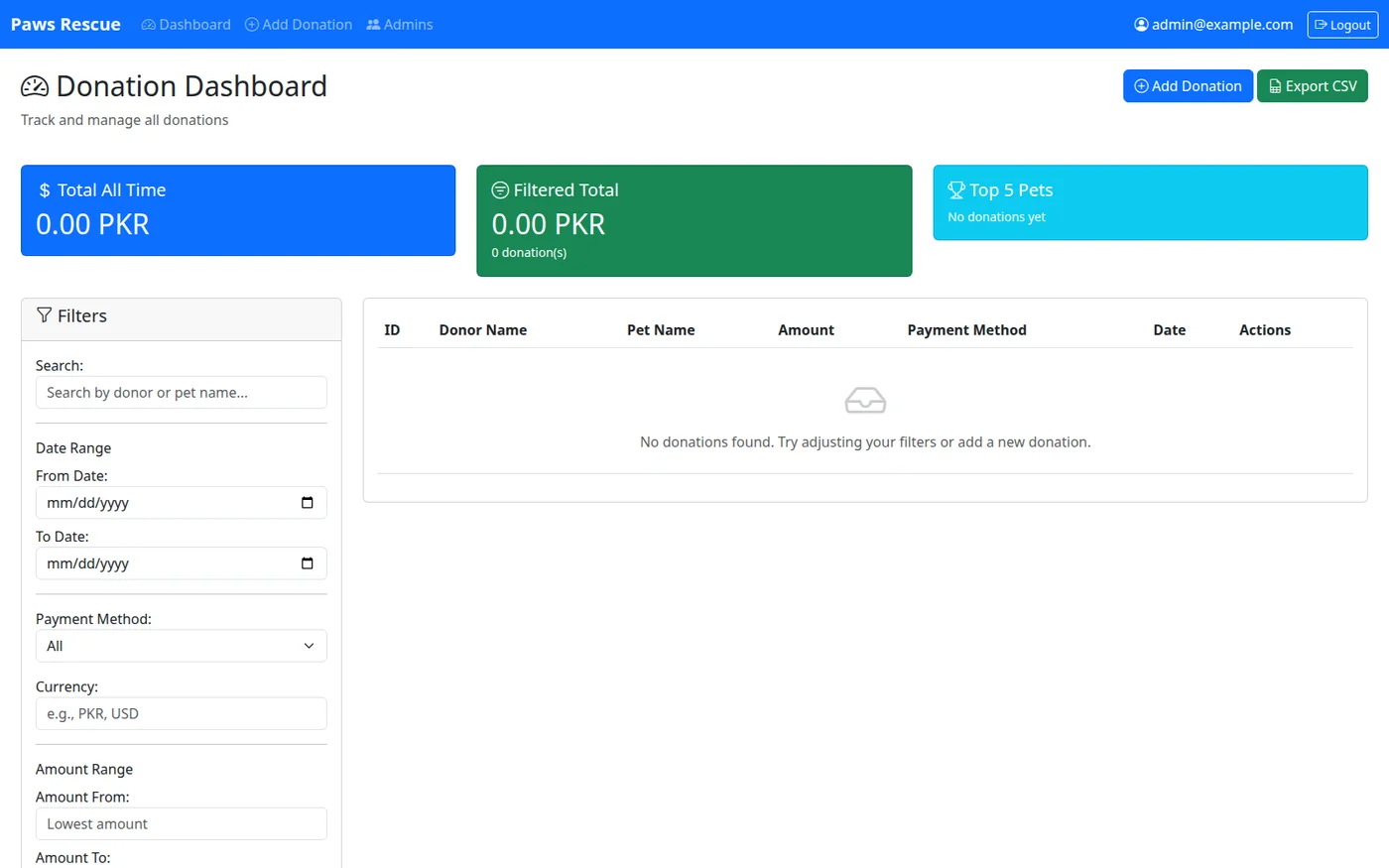
Screenshot of the Paws Rescue donation dashboard
11 tests paws-rescue-donations

Paws Rescue Donations

A private site for an animal rescue to log who donated what, and for which pet, replacing the shared spreadsheet anyone with the link could edit.

Replaces the spreadsheet
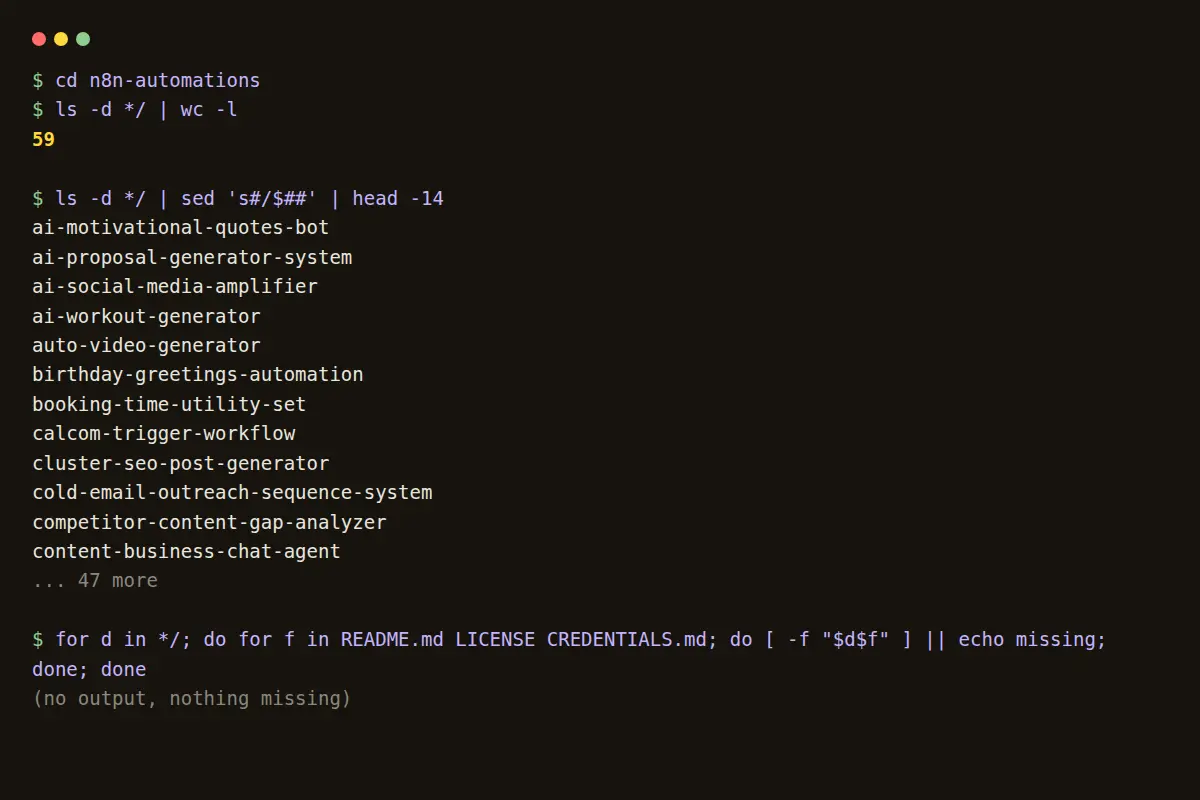
Terminal output verifying the 59 documented n8n automation folders
59 automations n8n-automations

N8N Automations

59 business chores, each built as a flowchart that then runs itself: scraping leads, chasing enquiries, sending invoices. Documented honestly, faults included; live account keys found in the files were stripped.

One stage wired
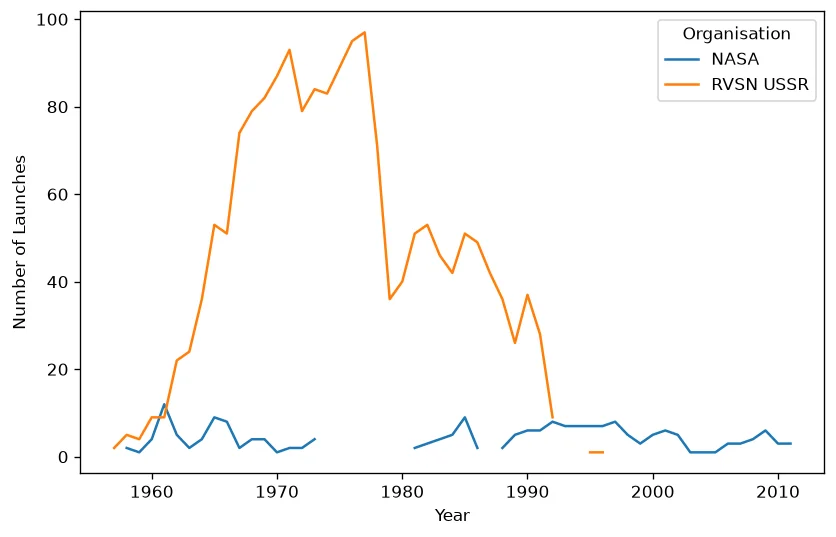
Chart from the Space Race Analysis dashboard
4,324 launches space-race-analysis

Space Race Analysis

An interactive dashboard analyzing every recorded space launch, from the Cold War rivalry to the present.

Cold War launches
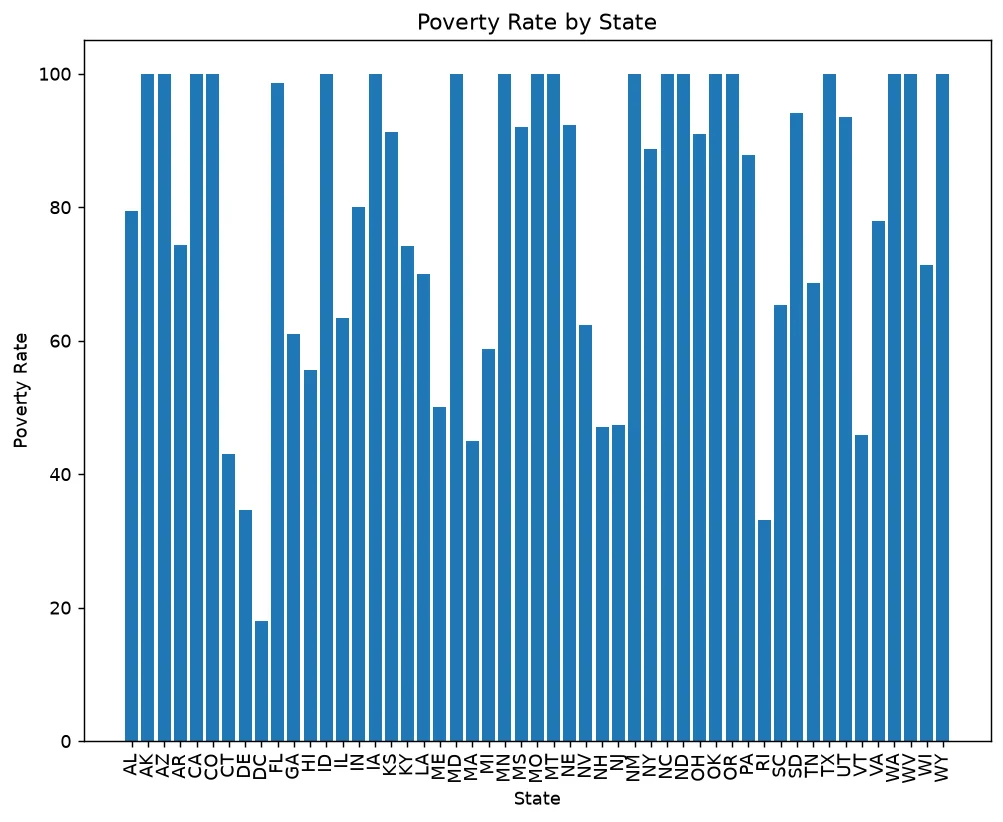
Chart from the Police Shootings Analysis dashboard
2,535 records police-shootings-analysis

Police Shootings Analysis

2,535 records of people killed by police in the United States, set beside US Census figures on poverty, schooling, income, and race, in charts you can filter by state, year, or type of case.

Five Census datasets
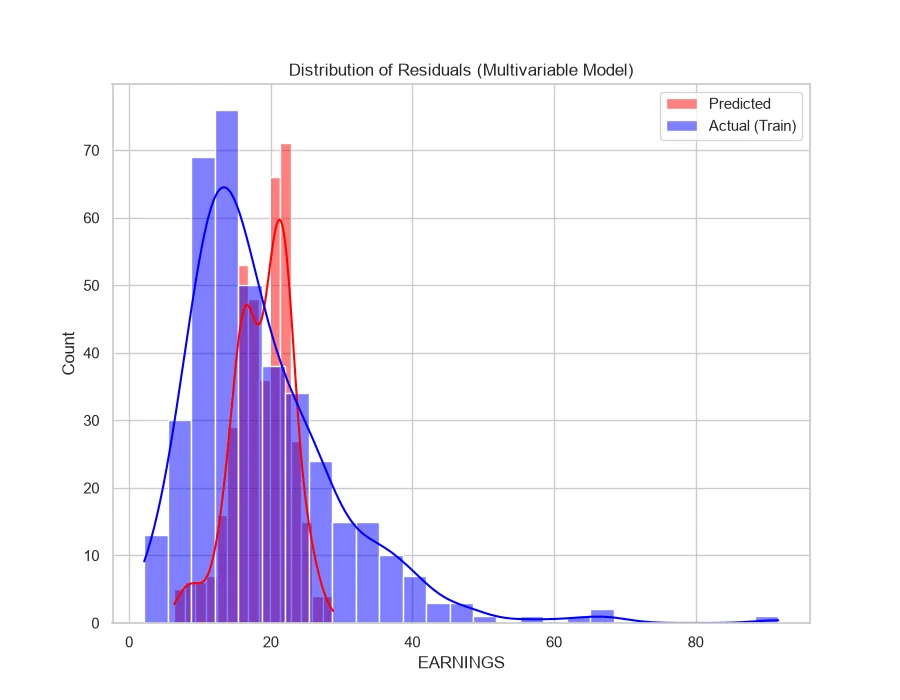
Residuals chart from the Earnings Regression model
-0.008: worse than guessing earnings-regression

Earnings Regression

Does more schooling, or more experience, mean a higher wage? Move two sliders and it predicts one. The honest answer: those two facts barely predict anything at all.

It fails honestly
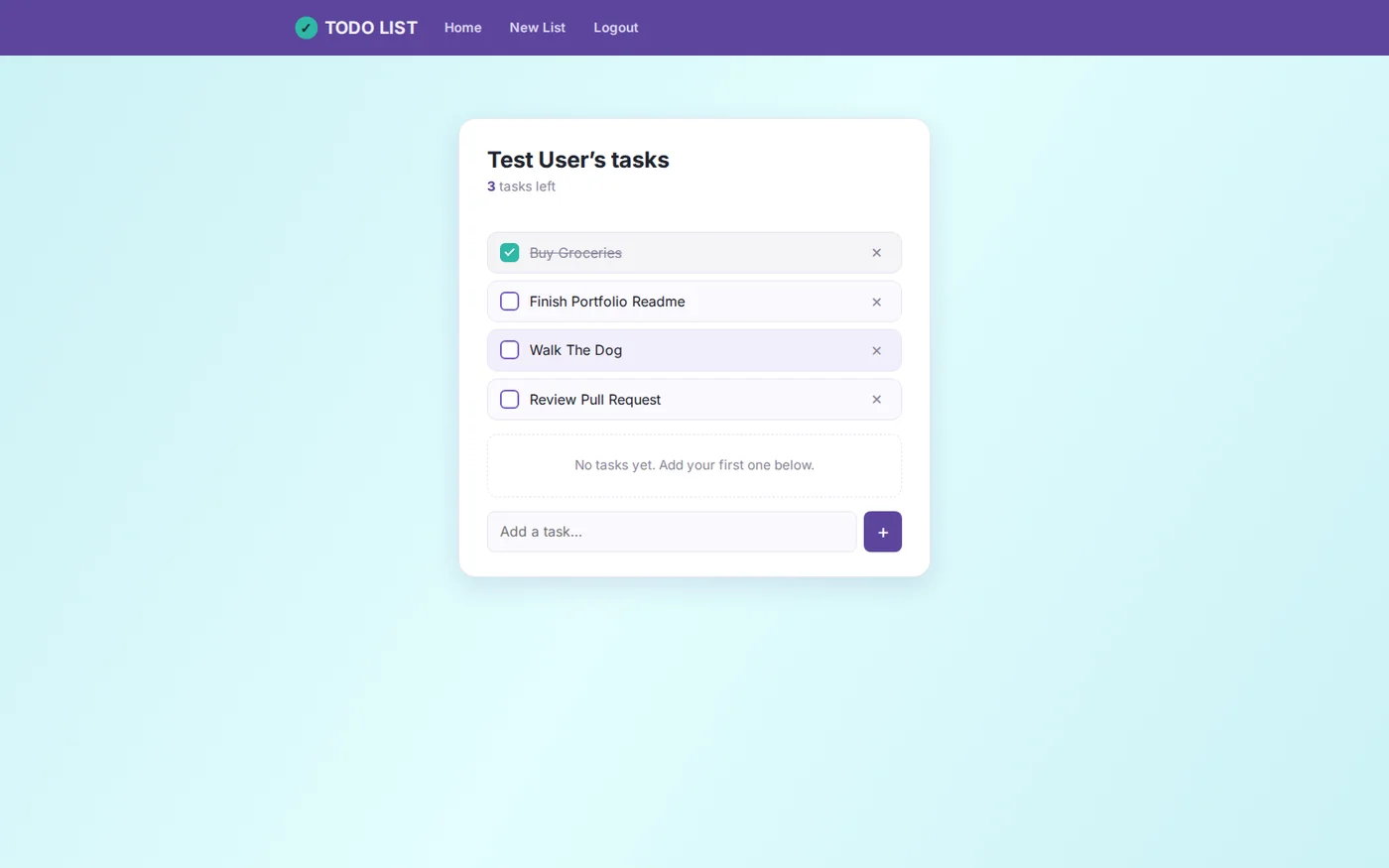
Screenshot of the Flask TODO List app
8 flows verified by hand flask-todo-list

Flask TODO List

A to-do list in the browser: everyone signs in and sees only their own tasks, ticking them off without the page reloading.

Passwords now scrambled
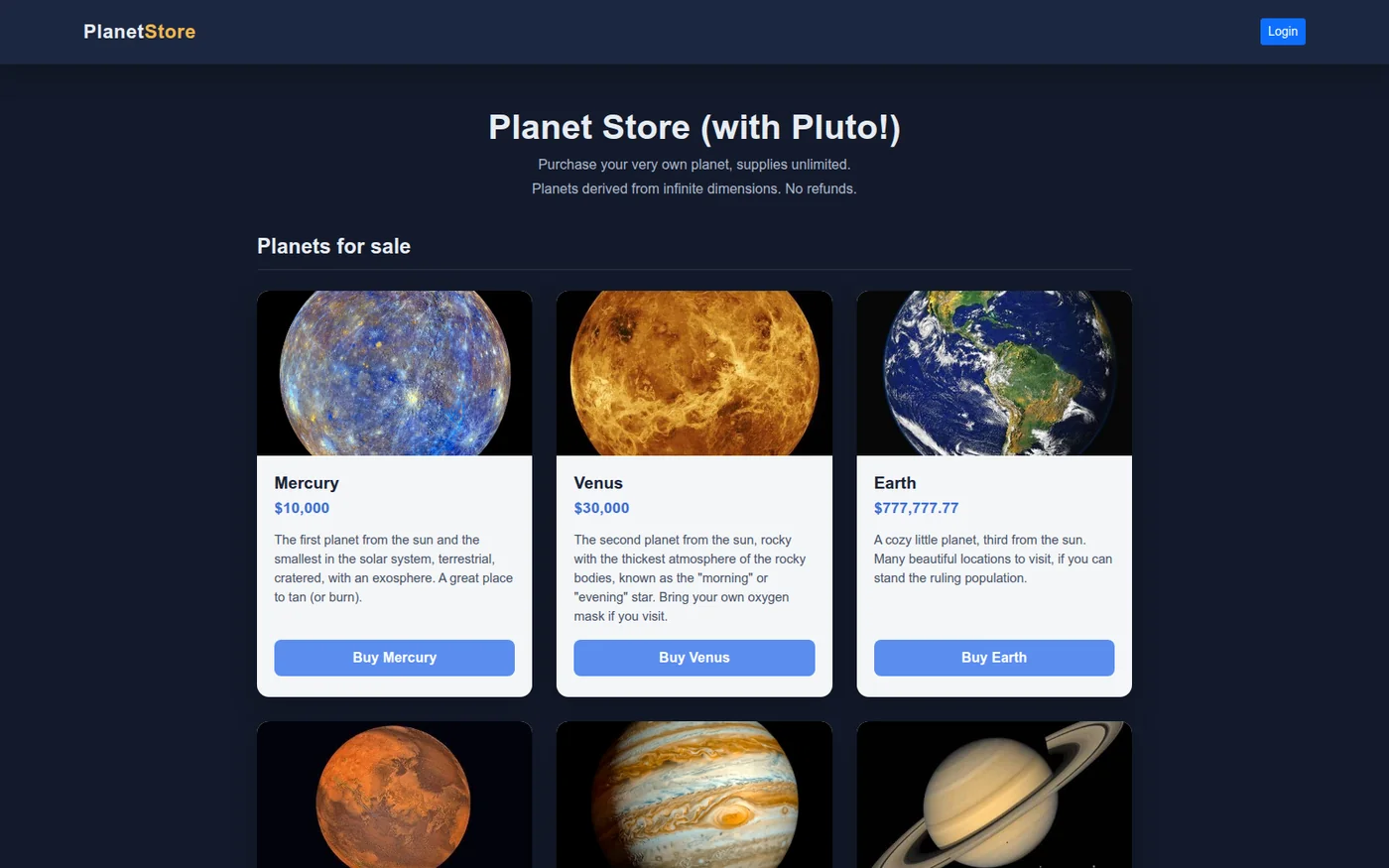
Screenshot of the Flask Online Shop product grid
9 planets in the catalog flask-online-shop

Flask Online Shop

A demo storefront: sign-up, login, and checkout through Stripe in practice mode, so no real money moves. Two real bugs turned up, including one that let anybody into anybody else's account.

The login bug
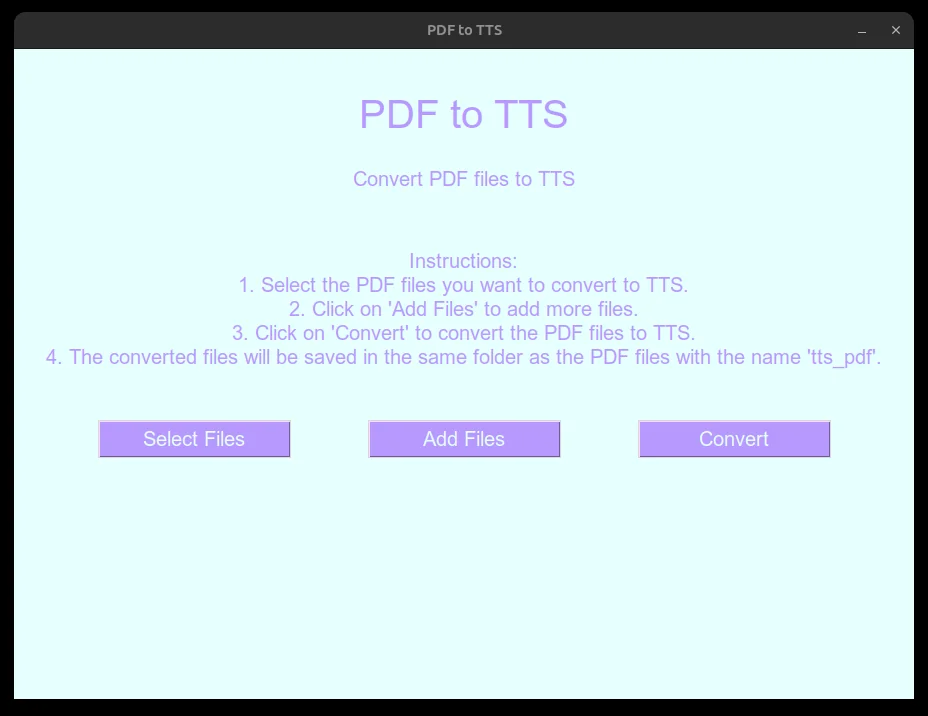
Screenshot of the PDF to Audiobook tool
0 API keys required pdf-to-audiobook

PDF to Audiobook

Turns a PDF, a report or a book chapter, into an mp3 you can listen to on a walk. It needs the internet: the voice comes from Google's speech service, not from your own machine.

One page crashed
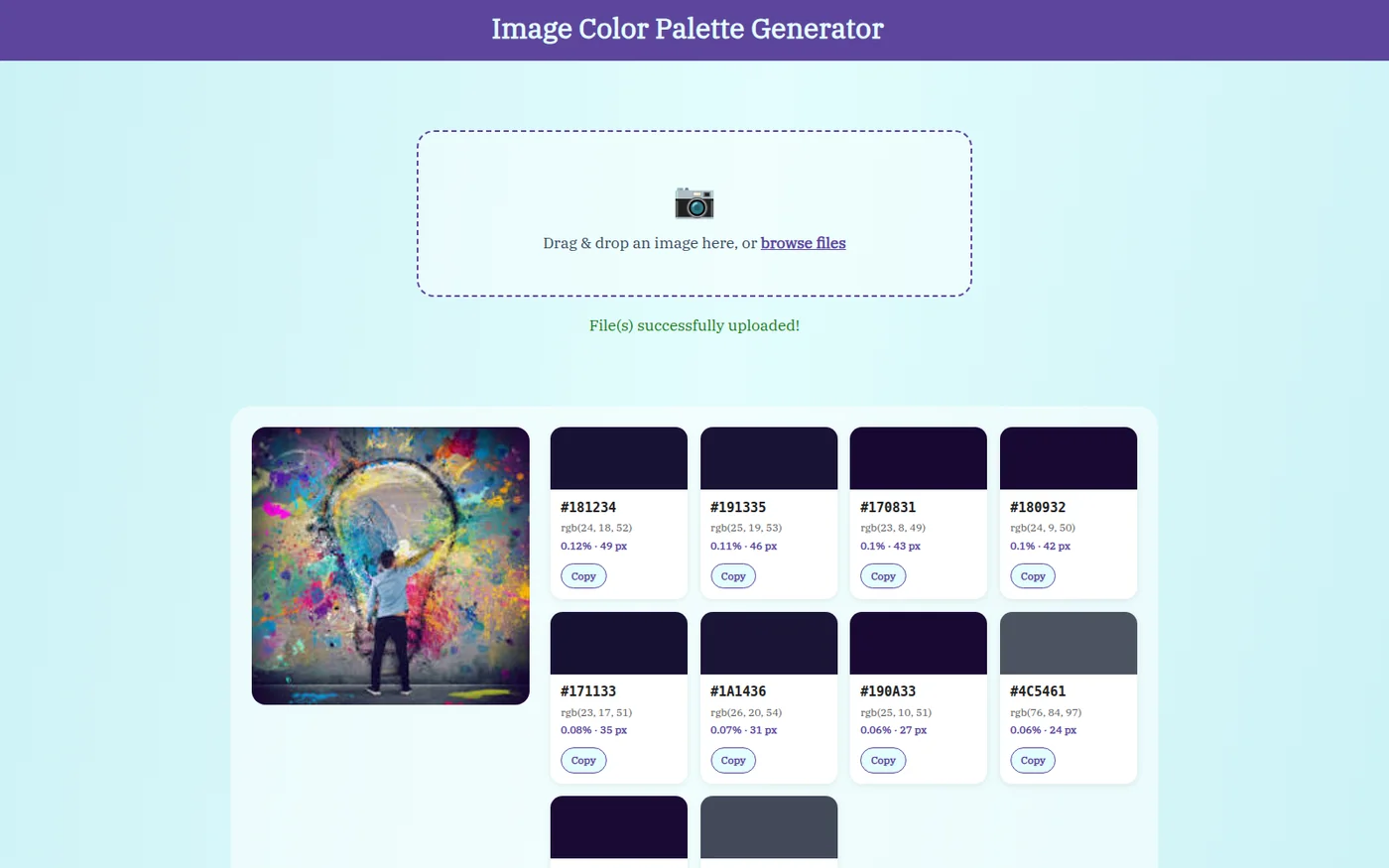
A real extracted palette from the Color Palette Generator
10 colors per image color-palette-generator

Color Palette Generator

Drop in a picture and it shows the ten colors that cover most of it, with the exact code for each so you can paste it into a design. Nothing is sent anywhere and nothing is stored.

What broke it
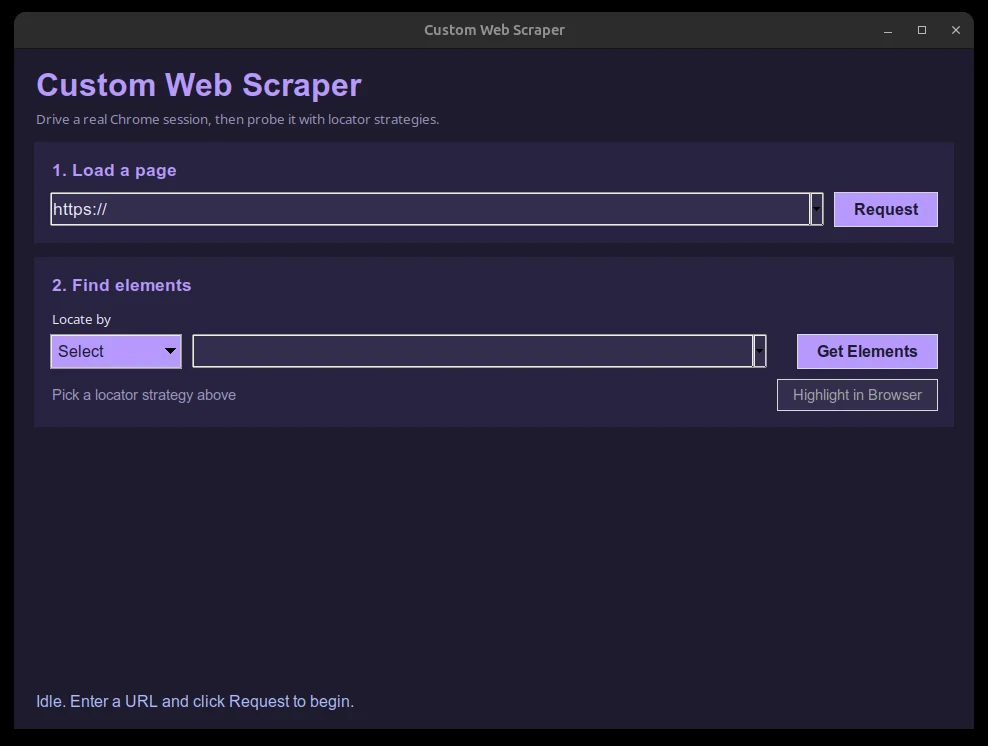
Screenshot of the Web Element Inspector tool
7 ways to search a page custom-web-scraper

Web Element Inspector

Point and click instead of writing a program: type a web address, pick what to look for, and it drives a real Chrome browser to find every match and outline it. A live scrape against a real site is not demonstrated; the machine it was checked on had no internet.

Point and click
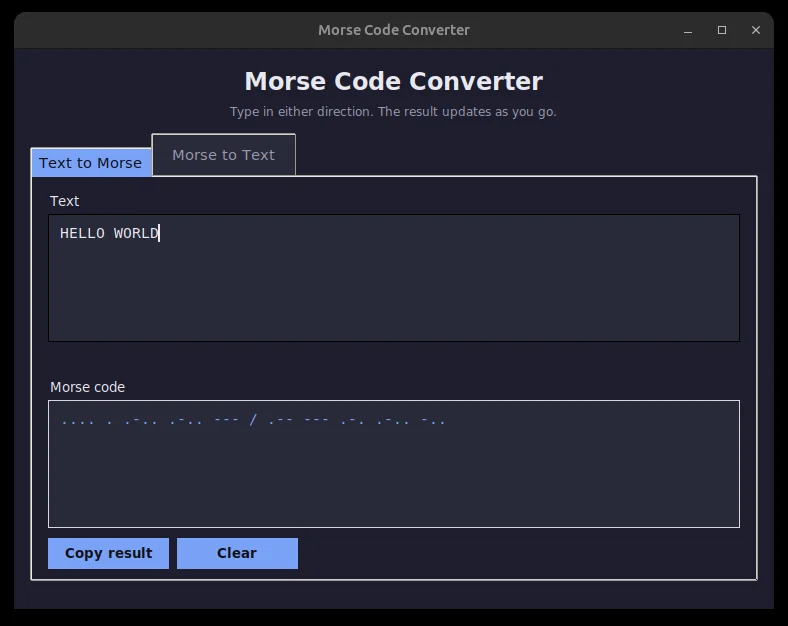
Screenshot of the Morse Code Converter GUI
0 outside libraries used morse-code-converter

Morse Code Converter

Converts ordinary writing into Morse code and back, live as you type, and flashes the dots and dashes on screen so you can see the rhythm.

The missing V
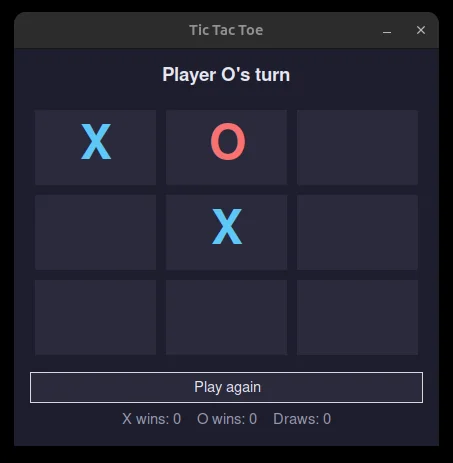
Screenshot of the Tic Tac Toe GUI
8 win lines checked tic-tac-toe-gui

Tic Tac Toe

Two players, a 3x3 grid, and the program spots the win, highlights the line, and keeps score. A small learning exercise.

The win-check bug
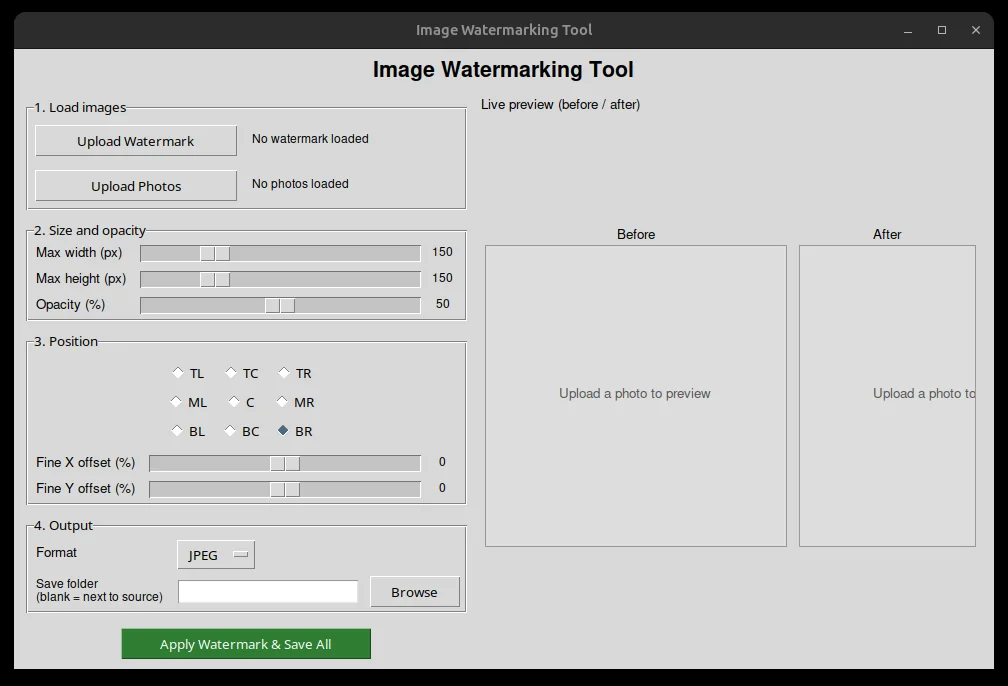
Screenshot of the Image Watermarking Tool
9 stamp positions image-watermarking-tool

Image Watermarking Tool

Stamps a logo onto a whole batch of photos at once: size it, fade it, drop it in one of nine spots, preview it, then one click does every photo, leaving the originals untouched.

The stamp bug
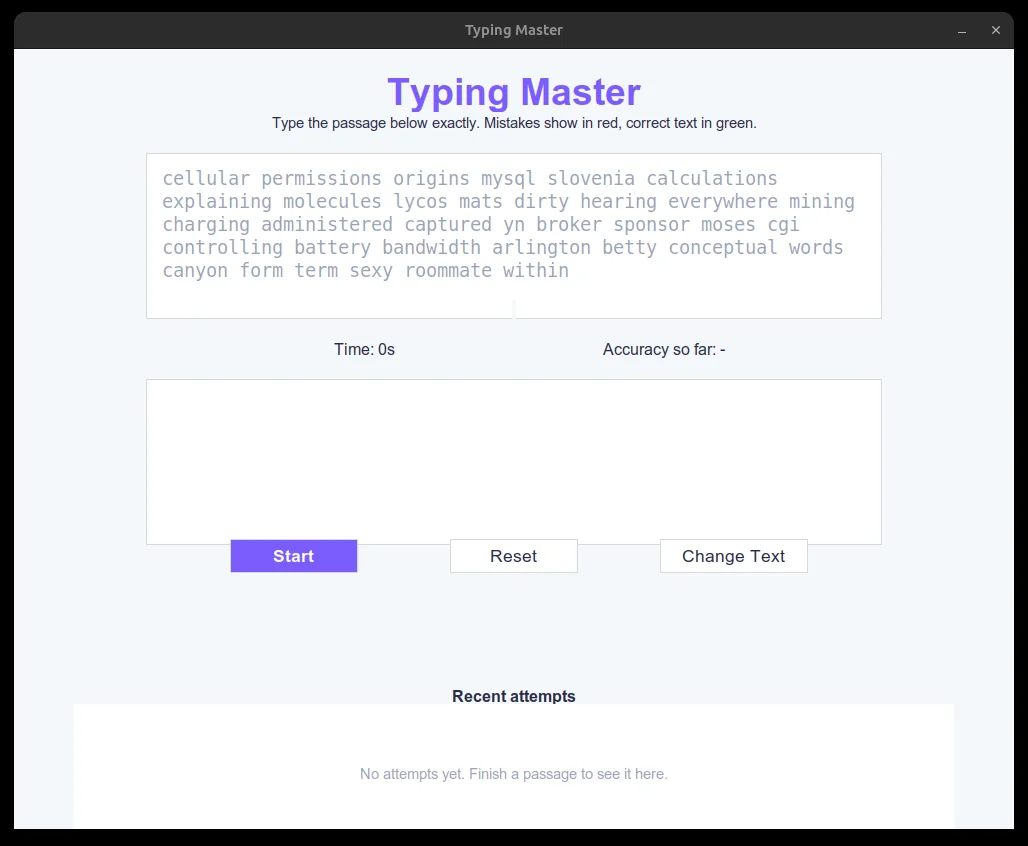
Screenshot of the Typing Master GUI
10,000-word list typing-master-gui

Typing Master

Retype a block of text against the clock. Each letter turns green when it is right and red when it is wrong, so you see the mistake as it happens, and it charts your last ten attempts. A small learning exercise.

See your mistakes
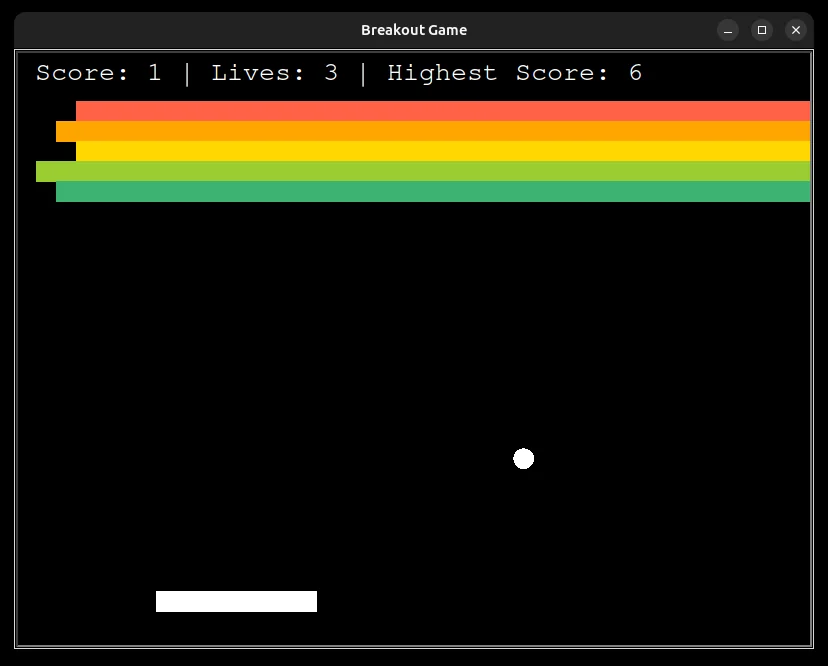
Screenshot of the Breakout game running
52 blocks, verified run breakout-game

Breakout

The arcade game: slide the paddle, bounce the ball, knock out the wall of blocks. Built from scratch with no game engine, so the lives, the speed-up, and spotting a hit are all hand-made.

Cutting corners
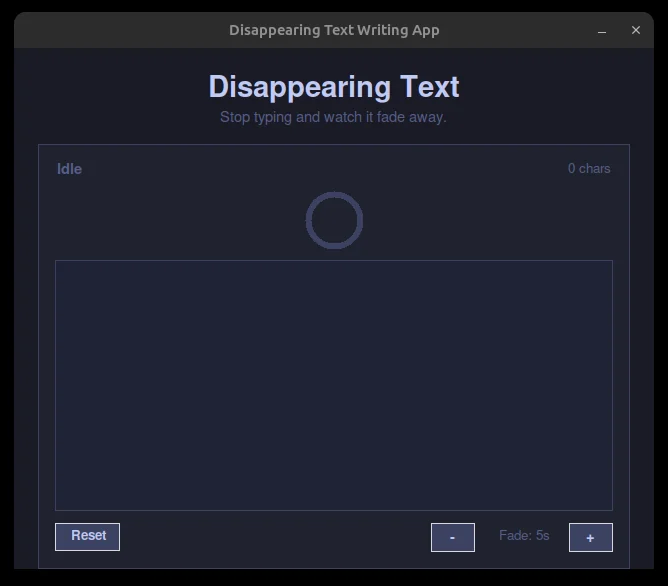
Screenshot of the Disappearing Text app
Redraws every 40 ms disappearing-text-app

Disappearing Text

Type, and if you stop the words fade until the box wipes itself clean. A ring above drains like an egg timer, so you can see the deadline coming.

The invisible timer
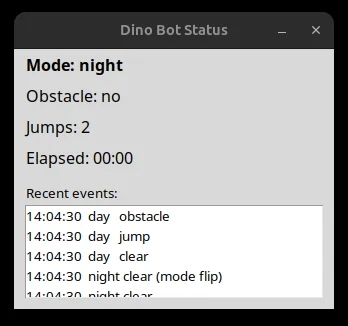
Screenshot of the Dino Game Bot dashboard
Pixels only, no game state dino-game-bot

Dino Game Bot

Plays Chrome's offline dinosaur game by watching pixels on the screen, never peeking inside the game. It was never run against the real game here, and the patch of screen it watches fits one setup only.

One screen only

See it running

Grab it, turn it, see how it actually works.

Not a video, not a diagram. This is a live 3D model of one of the systems on this site, running in your browser right now. Take hold of it and turn it. Then load a different system into it and turn that one too.

Live 3D Drag it to orbit · scroll or pinch to zoom · double-click to reset
Evaluation results chart for Trade Intelligence Copilot
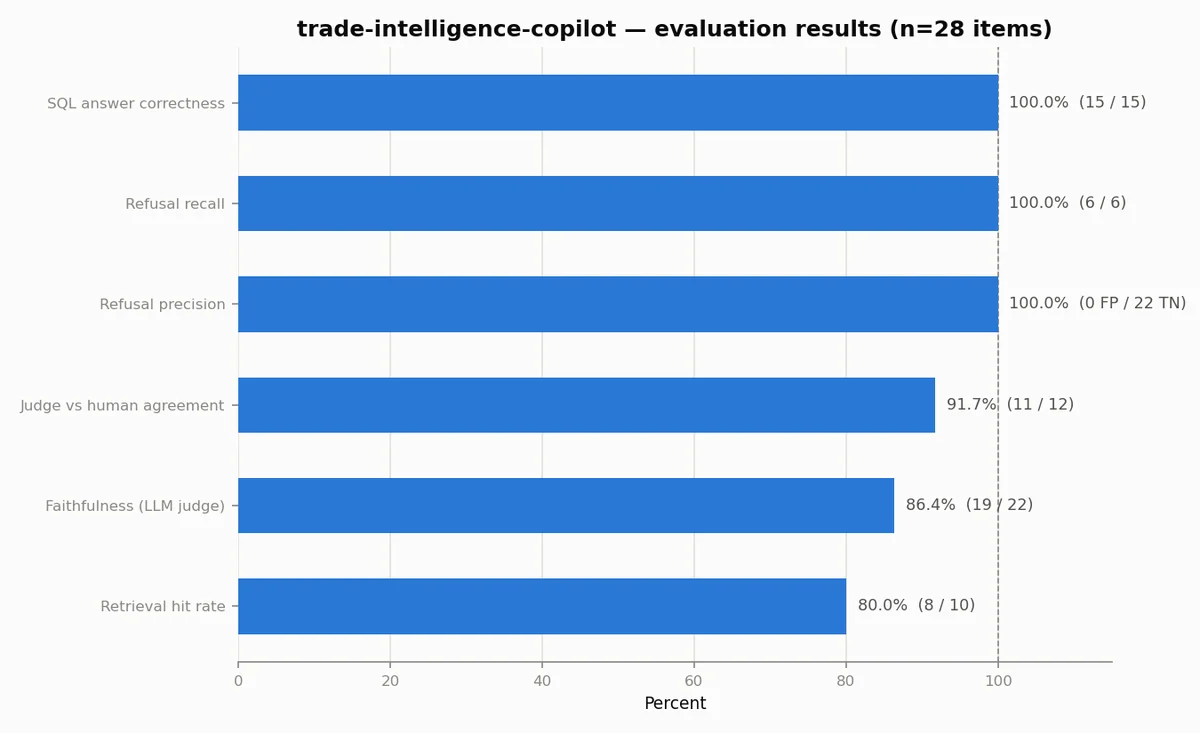
Trade Intelligence Copilot. Signal Routes: a question fans out in gold across the world's trade lanes, the answer streams home in coral, and a scoring pass checks every answer as it lands.

Recognition

Notable achievements.

Measured results from real work. No vanity metrics, only outcomes that matter.

703
Automated tests
across 14 systems
5+
Years shipping
production software
300 / 300
Sudden-kill crash rounds survived,
zero data loss

Value Delivered

What you'll get.

Every project ships with more than just code. You get systems that are tested, documented, deployable, and maintainable.

Working Code

Code written for the next person to read, not to show off. It follows the ordinary conventions of its language, so any competent developer can pick it up. Boring and maintainable beats clever.

Full Test Suite

Automatic checks at every level: on each small piece, on the pieces working together, and on the whole thing as a person would use it. The paths that matter most are covered heaviest, and the tests double as documentation: read them and you know what the system does.

Documentation

A plain-English guide, diagrams of how the pieces fit, a reference for anything another program plugs into, and step-by-step instructions for putting it live. Enough to understand, maintain, or extend it without having to ask us.

Deploy Ready

One command puts it live: the build and release steps run themselves, the app is packaged so it behaves the same on any machine, and there is a written way to undo the release if something goes wrong.

Security Verified

A security review before launch: everything a user types is checked before it is trusted, passwords and keys are kept out of the code, and sign-in and permissions are enforced on the server. Reviewed against the OWASP Top Ten, the industry's standard list of the most common web weaknesses.

Performance Audited

We push the system under heavy traffic until something gives, fix what gave, and hand you the number: how many people it can serve at once, and what breaks first when it cannot.

Questions?

Frequently asked questions.

What languages and frameworks do you use?

Python (Django, PyTorch), JavaScript and React, SQL, and C++. We pick the tool that fits the job instead of forcing one everywhere: Python and PostgreSQL for the machinery behind the scenes, React for what you see in the browser, C++ when raw speed decides the outcome.

How long do projects typically take?

Depends entirely on how big it is. A single feature: 1 to 2 weeks. A complete application, browser through to database: 4 to 12 weeks. A system built from the ground up: 8 weeks or more. We give honest estimates upfront, with clear milestones, so you know what to expect at every step.

Do you do revisions and changes?

Yes. We budget time for feedback and rework. Reasonable changes to what we agreed are covered. If the job grows, we talk about it openly: when what you need changes significantly, the timeline and the budget change with it, and only with your agreement.

What about maintenance and updates?

Every system we ship is production-ready and documented. We're available for bug fixes and minor updates. For ongoing maintenance or new features post-launch, we can discuss retainer arrangements or per-request pricing.

How do you handle security?

Security is built in from day one, not bolted on later. Everything a user types is checked before it is trusted. Data is scrambled both while it sits on disk and while it travels. Sign-in and permissions are enforced on the server, not just hidden in the interface. Every system gets a security review against the OWASP Top Ten, the industry's standard list of the ten most common web weaknesses, before it goes live.

What's your communication style?

Clear and frequent. Weekly status updates minimum. You'll always know what's being built, what's blocked, and what comes next. No surprises, no jargon unless you ask for technical depth.

Contact

Have a system that needs building?

We take on AI work and the systems underneath it, and we are happy to talk a hard problem through before you commit to anything.

Book a call

Let's talk about what you're building.

Pick a slot below. No forms, no back-and-forth emails.